Top 10 Google Tips Every Beginner Should Know
Top 10 Google Tips
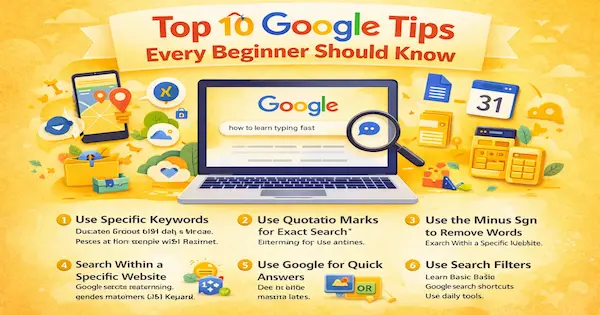
Search smarter, save time, and use Google like a pro
Introduction to Using Google Effectively
Why Google Skills Matter for Beginners
Google is more than just a search engine. It is a daily tool for learning, work, and problem-solving. Knowing how to use it properly saves time and effort.
Many beginners use Google in a basic way. With a few simple tips, search results can become more accurate. This guide explains practical Google tips anyone can follow.
Top 10 Google Tips for Beginners
1. Use Specific Keywords
Google works best when your search is clear. Avoid long sentences and unnecessary words. Focus on the main idea of what you want to find.
For example, search “best budget smartphones India” instead of “which phone should I buy with less money.”
2. Use Quotation Marks for Exact Search
Quotation marks help Google find exact phrases. This is useful for song lyrics, quotes, or definitions. It reduces unrelated search results.
Example: typing “how to learn typing fast” will show pages with that exact phrase.
3. Use the Minus Sign to Remove Words
Sometimes search results include unwanted topics. The minus sign helps remove those results. This makes searches more focused.
Example: apple -fruit will show results about Apple technology, not the fruit.
4. Search Within a Specific Website
Google allows searching inside a single website. This is helpful when a site has a lot of content. It saves time scrolling through pages.
Example: site:blogger.com Google tips will show only Blogger-related results.
5. Use Google for Quick Answers
Google can answer simple questions instantly. It shows results without opening websites. This is useful for daily information.
- Weather updates
- Currency conversion
- Time zones
- Simple math calculations
6. Use Search Filters
After searching, use Google filters for better results. Filters help narrow content by time, type, or location. This improves accuracy.
You can filter by images, videos, news, or recent dates. This is useful for research and trending topics.
7. Learn Basic Google Search Shortcuts
Google supports simple shortcuts called operators. These shortcuts refine searches quickly. Beginners can learn them easily.
- OR – search multiple terms
- * – wildcard for missing words
- define:word – quick definitions
8. Use Google Images Smartly
Google Images is helpful for visual searches. You can search by image instead of text. This helps identify objects, places, or products.
Beginners can upload a photo or paste an image link. Google then finds similar images or information.
9. Use Google Tools for Daily Life
Google offers many free tools beyond search. These tools help with productivity and organization. Beginners should explore them gradually.
- Google Maps for navigation
- Google Translate for languages
- Google Drive for file storage
- Google Calendar for reminders
10. Check Information Carefully
Not all Google search results are accurate. Beginners should verify information from trusted sources. This avoids confusion and misinformation.
Cross-check facts on multiple reliable websites. Pay attention to publication dates and authors.
Key Benefits of Using Google the Right Way
Saves Time and Effort
Smart Google searches reduce wasted time. You find relevant answers faster. This improves daily productivity.
Improves Learning and Knowledge
Google becomes a powerful learning tool. Beginners can explore topics step by step. Correct searching leads to better understanding.
Helps Avoid Common Mistakes
Many people misuse search tools without realizing it. Learning basics prevents common beginner errors. This improves online confidence.
Read more about common mistakes people make while using digital tools
Practical Example: Using Google for Health & Fitness
Searching for Reliable Fitness Information
Beginners often search health topics online. Using clear keywords improves result quality. This helps avoid misleading advice.
Read more about a simple fitness routine beginners can follow
Frequently Asked Questions (FAQ)
Is Google free to use?
Yes, Google search and most tools are free. Some advanced services may have paid options. Basic use does not require payment.
Do I need an account to use Google?
You can search without an account. A Google account helps save preferences and history. It is optional for beginners.
How can beginners improve search results?
Use clear keywords and simple phrases. Apply filters and operators when needed. Practice improves search accuracy.
Is Google safe for beginners?
Google is generally safe to use. Beginners should avoid clicking unknown links. Stick to trusted websites for information.
Conclusion
Start Small and Practice Regularly
Google is a powerful tool when used correctly. Beginners can improve skills with small changes. Practice makes searching easier and faster.
By applying these top 10 Google tips, users can save time, learn more, and confidently navigate the digital world.