Internet Basics: What is Wi-Fi and How It Works
Internet Basics
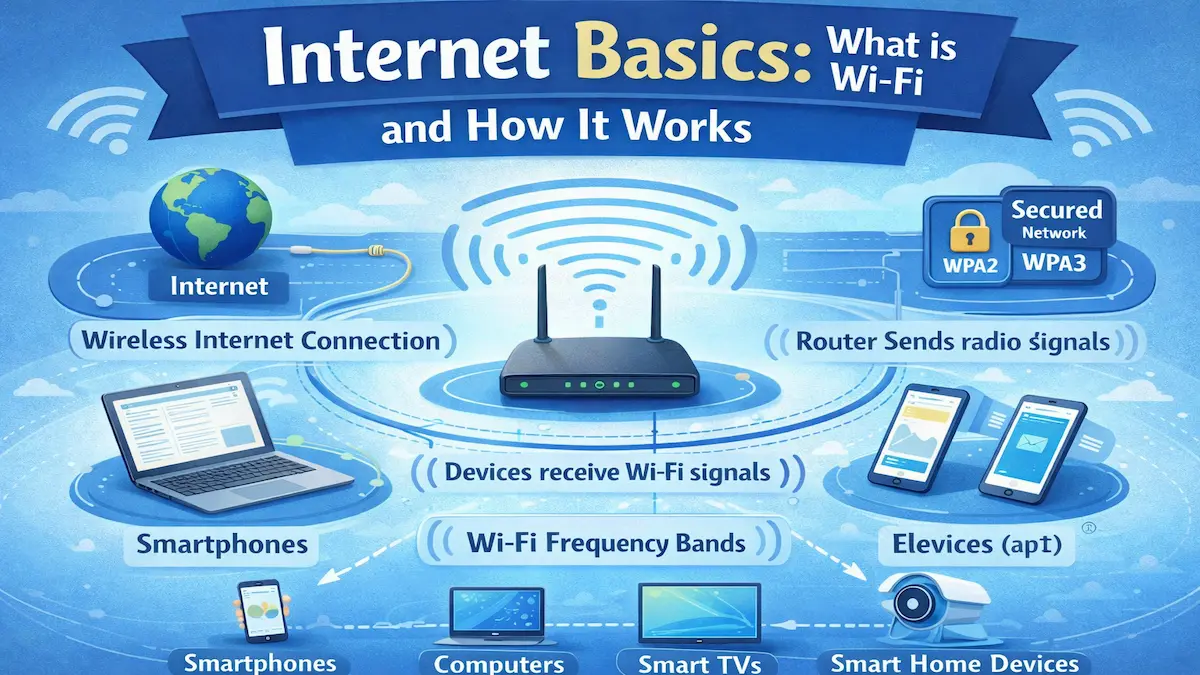
The internet has become an essential part of daily life. From online learning to digital payments, everything depends on internet access. One of the most common ways we connect to the internet is through Wi-Fi.
Wi-Fi allows devices to access the internet without using physical cables. It works quietly in the background, yet supports millions of connections every second. Understanding how Wi-Fi works helps users use it more safely and efficiently.

What Is Wi-Fi?
Definition of Wi-Fi
Wi-Fi is a wireless technology that allows devices to connect to the internet. It uses radio waves instead of cables to transmit data. Most homes, offices, and public places use Wi-Fi for internet access.
The term Wi-Fi does not stand for anything specific. It is a brand name used to describe wireless networking technology.
Devices That Use Wi-Fi
Many everyday devices depend on Wi-Fi to function properly. These devices communicate with a wireless router to access the internet.
- Smartphones and tablets
- Laptops and desktop computers
- Smart TVs and streaming devices
- Smart home devices like cameras and speakers
How Wi-Fi Works
The Role of the Router
A Wi-Fi router is the central device in a wireless network. It receives internet data from the service provider through a cable. The router then sends this data wirelessly to connected devices.
At the same time, the router receives data from your devices. This two-way communication happens in milliseconds.
Step-by-Step Wi-Fi Process
Wi-Fi follows a simple process to deliver internet access. Each step happens automatically once the connection is established.
- Your internet provider sends data to the router.
- The router converts data into radio signals.
- Devices receive signals using Wi-Fi adapters.
- Data is decoded and displayed on your device.
Wi-Fi Frequency Bands
Wi-Fi operates mainly on two frequency bands: 2.4 GHz and 5 GHz. Each band has different strengths and limitations.
- 2.4 GHz: Longer range but slower speed
- 5 GHz: Faster speed but shorter range
Types of Wi-Fi Networks
Home Wi-Fi
Home Wi-Fi is designed for personal and family use. It usually connects a few devices to a single router.
Most home networks are protected with passwords for security. This prevents unauthorized access.
Public Wi-Fi
Public Wi-Fi is available in places like cafes, airports, and libraries. It allows users to access the internet without cables or subscriptions.
Public networks are convenient but often less secure. Users should avoid sharing sensitive information on them.
Enterprise Wi-Fi
Enterprise Wi-Fi is used in offices, schools, and large organizations. It supports many users and devices at the same time.
These networks use advanced security and multiple access points. This ensures better speed and coverage.
Wi-Fi Security and Safety
Why Wi-Fi Security Matters
An unsecured Wi-Fi network can be accessed by unauthorized users. This may lead to data theft or slow internet speeds.
Security helps protect personal data and online privacy. Strong protection is essential for safe internet use.
Basic Wi-Fi Security Tips
- Use strong and unique passwords
- Enable WPA2 or WPA3 encryption
- Update router firmware regularly
- Avoid public Wi-Fi for sensitive tasks
Maintaining digital safety is part of a healthy lifestyle. Read more about preventive habits for modern life .
Common Wi-Fi Problems and Solutions
Slow Internet Speed
Slow Wi-Fi can be caused by distance, interference, or too many users. Walls and electronic devices can weaken signals.
Placing the router centrally improves performance. Upgrading the router may also help.
Connection Drops
Frequent disconnections may occur due to outdated firmware. Network congestion can also cause this issue.
Restarting the router often fixes temporary problems. Keeping software updated ensures stability.
Key Benefits of Wi-Fi
Wireless Convenience
Wi-Fi eliminates the need for physical cables. It allows devices to connect freely within coverage range.
Supports Multiple Devices
Modern Wi-Fi routers can handle many devices at once. This is ideal for homes with smartphones, TVs, and laptops.
Cost-Effective Internet Access
Wi-Fi reduces the need for separate internet connections. One router can serve multiple users efficiently.
Frequently Asked Questions (FAQ)
Is Wi-Fi the same as the internet?
No. Wi-Fi is a method of connecting to the internet. The internet is the global network that provides online services.
Does Wi-Fi work without electricity?
No. Routers need electricity to function. Without power, Wi-Fi networks stop working.
Can Wi-Fi signals pass through walls?
Yes, but walls reduce signal strength. Thick walls and metal objects weaken signals more.
Is Wi-Fi safe for daily use?
Yes. Wi-Fi uses low-power radio waves. It is considered safe for regular use.
Conclusion
Understanding Wi-Fi for Better Use
Wi-Fi is a core technology behind modern internet access. It connects devices wirelessly and supports daily digital activities.
By understanding how Wi-Fi works, users can improve speed and security. Basic knowledge helps in making smarter technology choices.
For step-by-step online guides and digital services, Read more about online processes and tools .
Note: This article is for educational purposes only.

